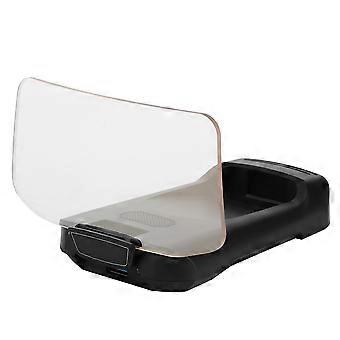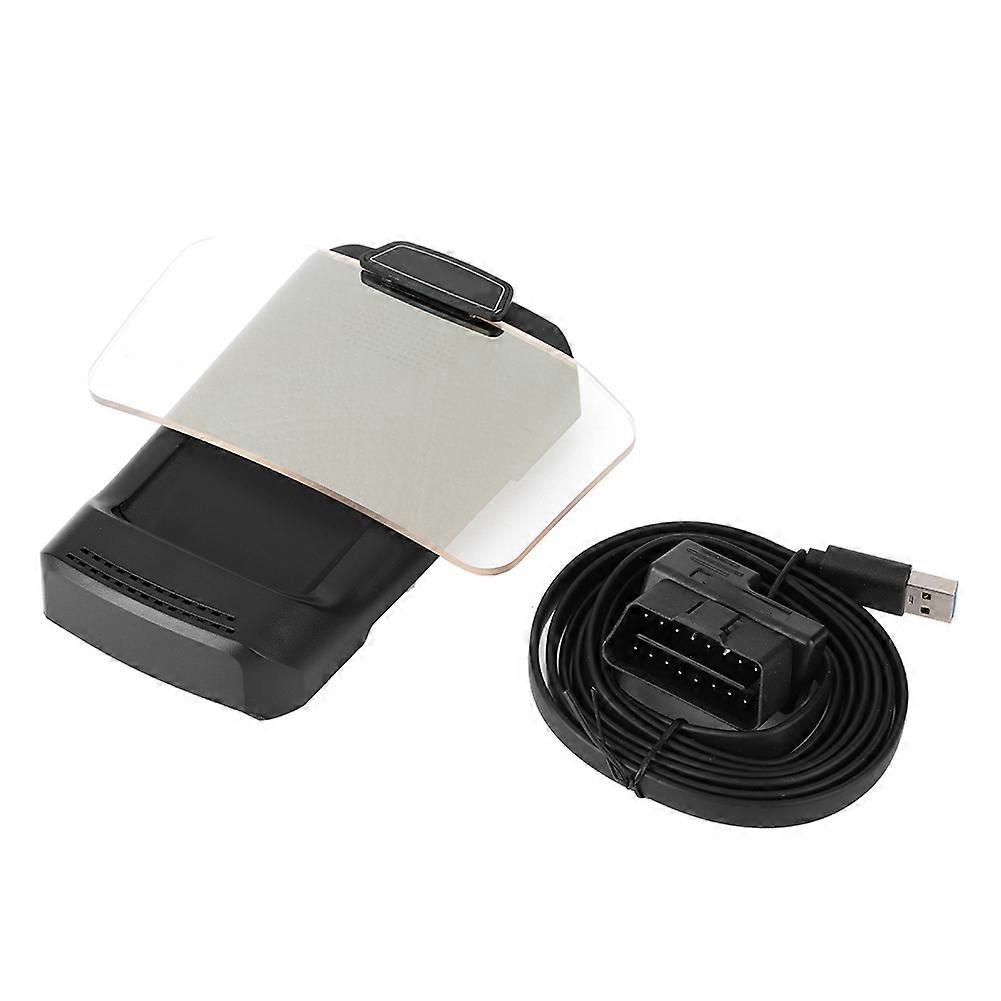
X500 HUD GPS Navigation Display Car Projection Speedometer E2U311

NOK 2 299,00
GRATIS frakt

X500 HUD GPS Navigation Display Car Projection Speedometer E2U311

  • Merke: Unbranded
Solgt av:

X500 HUD GPS Navigation Display Car Projection Speedometer E2U311

  • Merke: Unbranded

NOK 2 299,00

Spar NOK 900,00 (28%)

Veiledende pris

NOK 3 199,00
Kun 9 igjen på lager
GRATIS frakt

14-dagers returpolicy

Solgt av:

NOK 2 299,00

Spar NOK 900,00 (28%)

Veiledende pris

NOK 3 199,00
Kun 9 igjen på lager
GRATIS frakt

14-dagers returpolicy

Betalingsmåter:

Beskrivelse

X500 HUD GPS Navigation Display Car Projection Speedometer E2U311

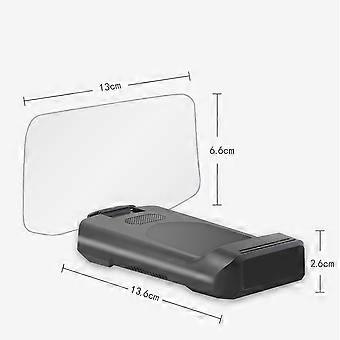
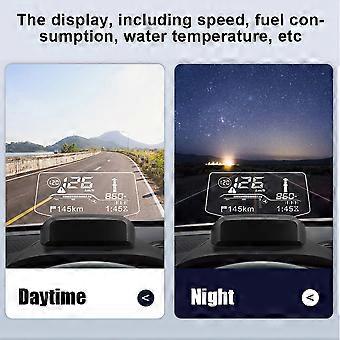
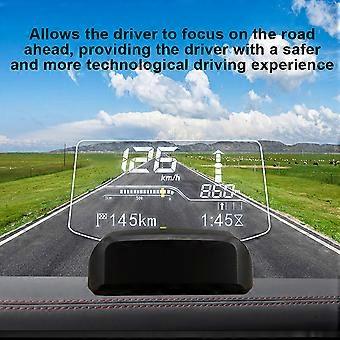
Feature 1、The integrated smart HUD is a head-up display device that connects the car's ECU and mobile phone. 2、This product is installed on the dashboard and displays the navigation information of the car or mobile phone in the HUD via Bluetooth transmission. 3、The display, including speed, fuel consumption, water temperature, etc. 4、Allows the driver to focus on the road ahead, providing the driver with a safer and more technological driving experience. 5、Precision manufacturing ensures stable performance and long service life.Condition: 100% Brand NewItem Type: HUD Navigation DisplayMaterial: ABSColor: BlackSize: Approx.2.6x13.6cm/1.02x5.35inFitment:12V USA cars USA Made after 2000.01.0112V EU gasoline cars manufactured after 2004.01.01EU 12V diesel cars made after 2004.01.0112V Asian cars manufactured after 2009.01.01How to Install:1. Insert the OBD plug into the vehicle's OBD interface.2. Start the vehicle and plug the other end of the OBD power cable into the power jack on the back of the HUD.The vehicle's OBD position is generally the one shown in the figure. Tips: The Bluetooth HUD will automatically start after the vehicle is on, and the vehicle will automatically turn off after the vehicle is off. Some vehicles may be delayed from 3 to 5 minutes.3. Attach the HUD to the soft rubber base first, or attach the base with the attached glue to secure it.4. Place the HUD on the instrument panel, select a position where the information on the screen is clearest, and confirm this position.5. Open the downloaded Anavi navigation software, click on the HUD in the upper left corner for Bluetooth connection, the software will automatically scan to cxat BT, click to connect to the HUD host. After the connection is successful, the connection will be made automatically afterwards.6. HUD parameter setting: Click the setting icon in the lower right corner to Enter the setting function, and then click HUD setting to enter the setting.7. Download the map offline. Click the settings icon in the lower right corner to enter the settings feature, then click the Offine map to enter the offline map download. Select the country and region you need to download the offline map to use it. .wang-edit-text{ font-family:'Arial' !important; } .wang-edit-text table { border-top: 1px solid #000; border-left: 1px solid #000; } .wang-edit-text table td, .wang-edit-text table th { border-bottom: 1px solid #000; border-right: 1px solid #000; padding: 3px 5px; } .wang-edit-text table th { text-align: center; }Package List1 x HUD Navigation Display1 x User Manual1 x OBD Cable
  • Fruugo-ID: 305554145-684527792
  • EAN: 7987249503833

Levering og retur

Sendes i løpet av 3 dager

  • STANDARD: GRATIS - Levering mellom kl man. 19 januar 2026–tor. 05 februar 2026 - GRATIS

Sendes fra Kina.

Vi gjør vårt beste for å sikre at produktene du bestiller, leveres til deg i sin helhet og i samsvar med dine spesifikasjoner. Skulle du likevel motta en ufullstendig bestilling eller andre varer enn dem du bestilte, eller hvis du av en eller annen grunn ikke er fornøyd med bestillingen, kan du returnere bestillingen eller enkeltvarer i bestillingen og motta full refusjon for varene. Se fullstendige retningslinjer for retur

Produktoverholdelsesdetaljer

Vennligst se samsvarsinformasjonen som er spesifikk for dette produktet skissert nedenfor.

Følgende informasjon er gitt av den uavhengige tredjepartsforhandleren som selger dette produktet.

Produsent:
Følgende informasjon skisserer kontaktinformasjonen til produsenten av det aktuelle produktet som selges på Fruugo.

  • Advance Parts Zone
  • Shenzhen Mike Technology Co. Ltd.
  • No. 108 Donghuan 1st Road
  • Yousong Technology Building 4-B01
  • Shenzhen
  • CN
  • 518000
  • miekortech@hotmail.com
  • +8613714168241

Ansvarlig person i EU:
Følgende informasjon skisserer kontaktinformasjonen til den ansvarlige personen i EU. Den ansvarlige personen er den utpekte økonomiske aktøren basert i EU, som er ansvarlig for samsvarsforpliktelsene knyttet til det relevante produktet som selges til EU.

  • Ben XU
  • REP Europe GmbH
  • Annastr. 9 B
  • Griesheim
  • Germany
  • 64347
  • info@rep-europe.de
  • +4915751253212
  • http://www.rep-europe.de/