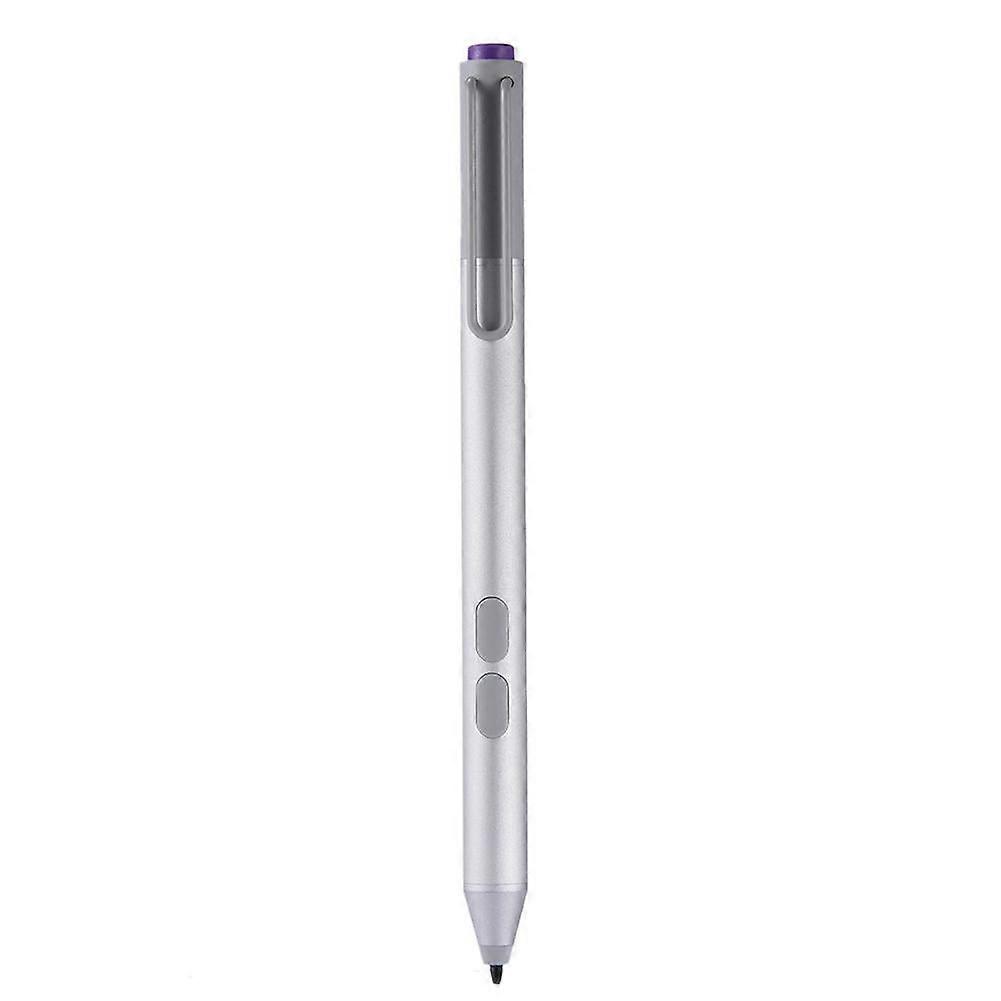
jixopn Sensitive Pencil for compatible with Microsoft Surfaceicrosoft Surface Pro 3 4 5 6 7 8 Universal Write Pen Notebook Bluetooth-Compatible

NOK 649,00
+ NOK 85,49 i frakt

jixopn Sensitive Pencil for compatible with Microsoft Surfaceicrosoft Surface Pro 3 4 5 6 7 8 Universal Write Pen Notebook Bluetooth-Compatible

  • Merke: Unbranded
Solgt av:

jixopn Sensitive Pencil for compatible with Microsoft Surfaceicrosoft Surface Pro 3 4 5 6 7 8 Universal Write Pen Notebook Bluetooth-Compatible

  • Merke: Unbranded

NOK 649,00

Spar NOK 400,00 (38%)

Veiledende pris

NOK 1 049,00
På lager
+ NOK 85,49 i frakt

14-dagers returpolicy

Solgt av:

NOK 649,00

Spar NOK 400,00 (38%)

Veiledende pris

NOK 1 049,00
På lager
+ NOK 85,49 i frakt

14-dagers returpolicy

Betalingsmåter:

Beskrivelse

jixopn Sensitive Pencil for compatible with Microsoft Surfaceicrosoft Surface Pro 3 4 5 6 7 8 Universal Write Pen Notebook Bluetooth-Compatible

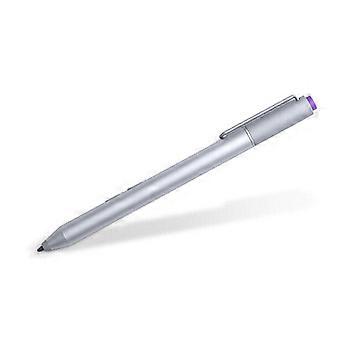
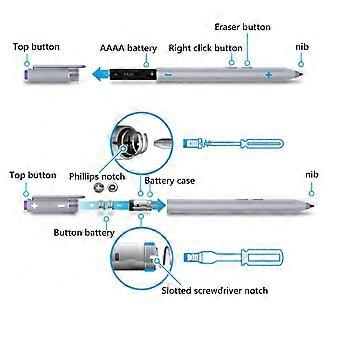
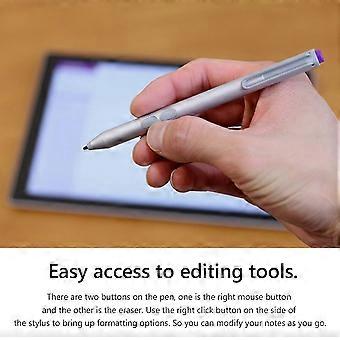
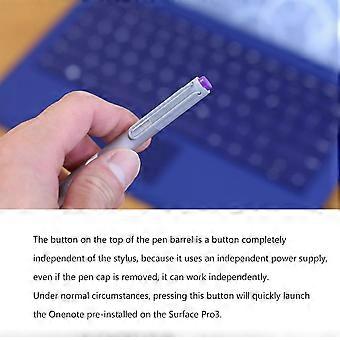
Sensitive Stylus Pencil for compatible with Microsoft Surfaceicrosoft Surface Pro 3 4 5 6 7 8 Laptop Write Pen Notebook Bluetooth-Compatible with Screenshot Paint Accessory Feature: Bluetooth-compatible connection. There is no need to worry about the connection problem, once set, you can automatically connect to the tablet through Bluetooth-compatible. 4096 pressure sensing. For Surface Pen supports a maximum pressure sensing level of 4096 with 4096 pressure points, providing you with a unique drawing experience and instant response to accurately copy text without delay. Easy access to editing tools. There are two buttons on the pen, one is the right mouse button and the other is the eraser. Use the right click button on the side of the stylus to bring up formatting options. So you can modify your notes as you go. Long press the pen cap to pair, double click to cut the picture. Hold down and hold down for 10 seconds. When the yellow indicator blinks, tap match in system setting-Bluetooth-compatible Device. Click the purple button to call out onenote. Double-click the button to call out Onenote Humanized button, convenient productivity. The upper part is the right button, which can realize the right mouse button function; The lower part is eraser delete button, which can realize eraser and delete function in supported software Specification: Color: Silver Material: aluminum case Pressure sensing: 4096 grade pressure sensing Connectivity: Bluetooth-compatible 4.0 Button: Right click and clear Battery: 2 button batteries; 1 AAAA battery Function: Support bluetooth-compatible connection and screen capture with eraser deletion function Size: Diameter: 9.5mm/0.37in; Length: 135 mm/5.3in + / - 1 mm Weight: 20 g Applicable model: For compatible with Microsoft Surfaceicrosoft Surface 3 For compatible with Microsoft Surfaceicrosoft Surface Pro 3 For compatible with Microsoft Surfaceicrosoft Surface Pro 4 For compatible with Microsoft Surfaceicrosoft Surface Pro 5 For compatible with Microsoft Surfaceicrosoft Surface Pro 6 For compatible with Microsoft Surfaceicrosoft Surface Pro 7 For compatible with Microsoft Surfaceicrosoft Surface Pro 8 For compatible with Microsoft Surfaceicrosoft Surface Pro X For compatible with Microsoft Surfaceicrosoft Surface Book1/2/3 For compatible with Microsoft Surfaceicrosoft Surface Laptop1/2/3/4 For compatible with Microsoft Surfaceicrosoft Surface Studio For compatible with Microsoft Surfaceicrosoft Surface Go1/Go2/Go3 Note: Due to the different monitor and light effect, the actual color of the item might be slightly different from the color showed on the pictures. Thank you! Please allow 1-2cm measuring deviation due to manual measurement. Included: 1 x Stylus Pencil Bluetooth-compatible connection. There is no need to worry about the connection problem, once set, you can automatically connect to the tablet through Bluetooth-compatible. 4096 pressure sensing. For Surface Pen supports a maximum pressure sensing level of 4096 with 4096 pressure points, providing you with a unique drawing experience and instant response to accurately copy text without delay. Easy access to editing tools. There are two buttons on the pen, one is the right mouse button and the other is the eraser. Use the right click button on the side of the stylus to bring up formatting options. So you can modify your notes as you go. Long press the pen cap to pair, double click to cut the picture. Hold down and hold down for 10 seconds. When the yellow indicator blinks, tap match in system setting-Bluetooth-compatible Device. Click the purple button to call out onenote. Double-click the button to call out Onenote Humanized button, convenient productivity. The upper part is the right button, which can realize the right mouse button function; The lower part is eraser delete button, which can realize eraser and delete function in supported software
  • Merke: Unbranded
  • Kategori: Styluspenner
  • Størrelse : size
  • Farge: color
  • Fruugo-ID: 448162799-941946318
  • EAN: 9114532437485

Produktsikkerhetsinformasjon

Vennligst se produktsikkerhetsinformasjonen som er spesifikk for dette produktet skissert nedenfor

Følgende informasjon er gitt av den uavhengige tredjepartsforhandleren som selger dette produktet.

Sikkerhetsadvarsler: Warning to keep away from water to prevent electric shocks.
Ingredienser: Other

Levering og retur

Sendes i løpet av 3 dager

  • STANDARD: NOK 85,49 - Levering mellom kl man. 29 desember 2025–ons. 31 desember 2025

Sendes fra Kina.

Vi gjør vårt beste for å sikre at produktene du bestiller, leveres til deg i sin helhet og i samsvar med dine spesifikasjoner. Skulle du likevel motta en ufullstendig bestilling eller andre varer enn dem du bestilte, eller hvis du av en eller annen grunn ikke er fornøyd med bestillingen, kan du returnere bestillingen eller enkeltvarer i bestillingen og motta full refusjon for varene. Se fullstendige retningslinjer for retur

Produktoverholdelsesdetaljer

Vennligst se samsvarsinformasjonen som er spesifikk for dette produktet skissert nedenfor.

Følgende informasjon er gitt av den uavhengige tredjepartsforhandleren som selger dette produktet.

Produsent:
Følgende informasjon skisserer kontaktinformasjonen til produsenten av det aktuelle produktet som selges på Fruugo.

  • Yang Yue
  • Lixian Penghui Trading Co., Ltd.
  • Group 5,Renhe Village
  • Changde City
  • CN
  • 415500
  • buzhengchanga@outlook.com
  • +1(319)277-0024

Ansvarlig person i EU:
Følgende informasjon skisserer kontaktinformasjonen til den ansvarlige personen i EU. Den ansvarlige personen er den utpekte økonomiske aktøren basert i EU, som er ansvarlig for samsvarsforpliktelsene knyttet til det relevante produktet som selges til EU.

  • eVatmaster Consulting GmbH
  • eVatmaster Consulting GmbH
  • Raiffeisen Street2 B1l
  • Rodgau
  • DE
  • 63110
  • contact@evatmaster.com
  • +49 61062699873