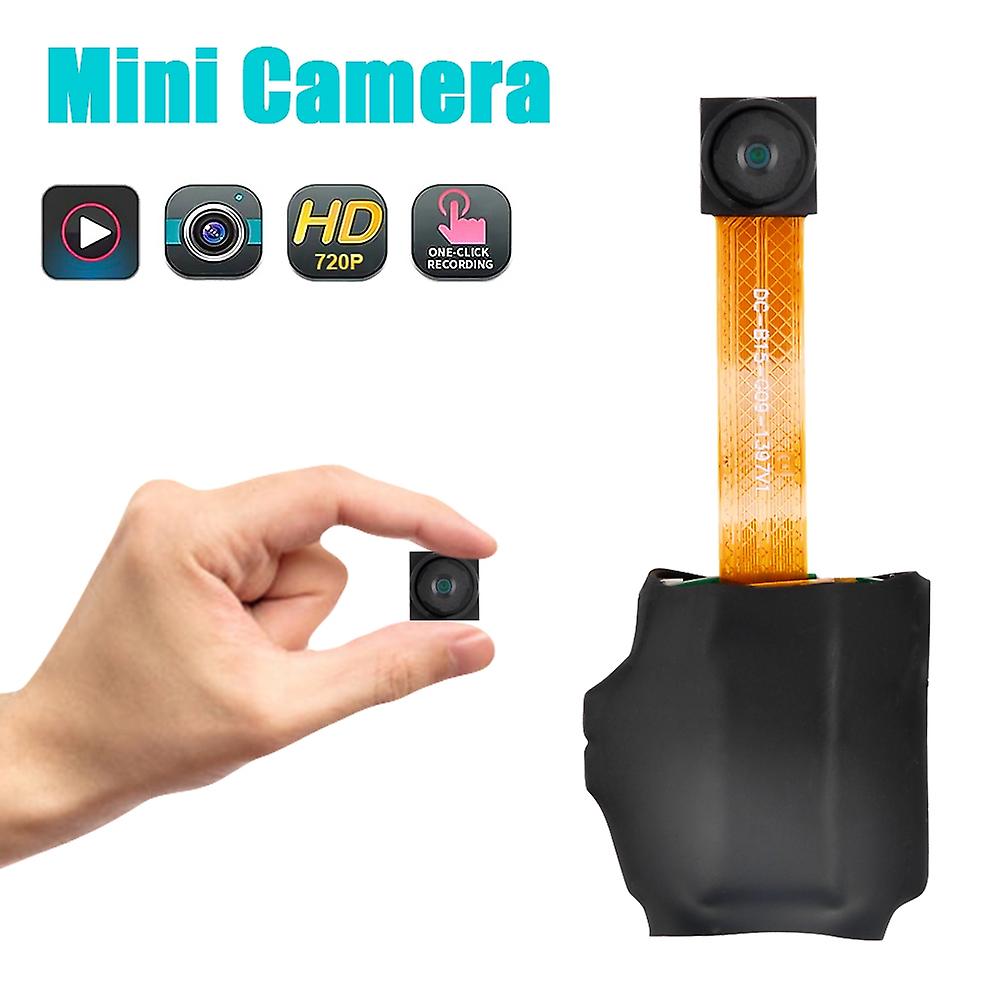
720P Button DV Camera Mini Video Camera Loop Recording Computer Webcam
NOK 279,00
+ NOK 49,49 i frakt

720P Button DV Camera Mini Video Camera Loop Recording Computer Webcam
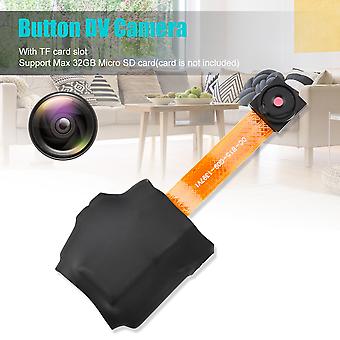
  • Merke: Unbranded
Solgt av:

720P Button DV Camera Mini Video Camera Loop Recording Computer Webcam
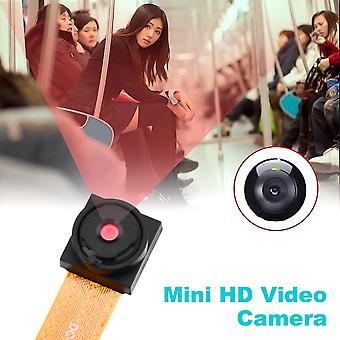
  • Merke: Unbranded

NOK 279,00

Spar NOK 595,00 (68%)

Veiledende pris

NOK 874,00
På lager
+ NOK 49,49 i frakt

14-dagers returpolicy

Solgt av:

NOK 279,00

Spar NOK 595,00 (68%)

Veiledende pris

NOK 874,00
På lager
+ NOK 49,49 i frakt

14-dagers returpolicy

Betalingsmåter:

Beskrivelse

720P Button DV Camera Mini Video Camera Loop Recording Computer Webcam
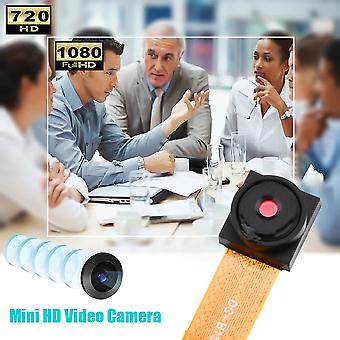
•Power On/Off: Press and hold the operation button for 2 seconds; the red indicator light stays on steadily, entering standby mode. To power off, press and hold the operation button for 4 seconds; the red light goes off, and the camera will automatically save the current recording file and shut down •Take Photo: When the camera is in standby mode, press the operation button once; the red light flashes once, taking a photo and saving it. After taking a photo, the red light stays on steadily, returning to standby mode •Record Video: When the camera is in standby mode, press the power button for 2 seconds; the red light blinks, starting the recording. Press the operation button again, and the red light stays on steadily; the recording file is saved, returning to standby mode •Low Battery: If the battery level is low during use, the red light will quickly flash 5 times before shutting down. Files will be saved before shutting down •Charging: Connect the device to a computer or power adapter for charging. The red light blinks while charging and stays on steadily when fully charged •Move Disk: In the power-off or standby state, connect the camera to a computer. The computer will recognize it as a removable disk, and recorded video files are stored in /-REC/100MEDA directory. When exchanging data with the computer, the blue light will rapidly flash. To safely disconnect, click the removable device icon in the bottom right corner, and wait for the system confirmation before unplugging the camera •Time Adjustment: Connect the device to a computer, find the movable disk, and run the "Time Adjustment Tool" to synchronize the device time with the computer time •Computer Webcam: In any mode, turn on/off the camera, connect it to the computer's USB port to enter webcam mode. In this mode, you can use the camera as a computer webcam Troubleshooting: •Camera shuts down with 5 red light flashes: Check if the memory is full or the battery is low. Delete or back up files if the memory is full, or replace the memory card. •Not working: Due to incorrect operations or unknown reasons, reset the device. Package included: •1 x Button DV Camera •1 x Charging Cable •1 x English User Manual
  • Fruugo-ID: 307722732-688944761
  • EAN: 6914235016580

Produktsikkerhetsinformasjon

Vennligst se produktsikkerhetsinformasjonen som er spesifikk for dette produktet skissert nedenfor

Følgende informasjon er gitt av den uavhengige tredjepartsforhandleren som selger dette produktet.

Produktsikkerhetsetiketter

CE Mark
Sikkerhetsadvarsler: Not suitable for children under 36 months. Choking Hazard. Adult supervision recommended
Ingredienser: Others

Leveranse

Sendes i løpet av 24 timer

  • STANDARD: NOK 49,49 - Levering mellom kl ons. 08 juli 2026–fre. 17 juli 2026

Sendes fra Kina.

Retur

Vi gjør vårt beste for å sikre at produktene du bestiller, leveres til deg i sin helhet og i samsvar med dine spesifikasjoner. Skulle du likevel motta en ufullstendig bestilling eller andre varer enn dem du bestilte, eller hvis du av en eller annen grunn ikke er fornøyd med bestillingen, kan du returnere bestillingen eller enkeltvarer i bestillingen og motta full refusjon for varene.

Se fullstendige retningslinjer for retur

Produktoverholdelsesdetaljer

Vennligst se samsvarsinformasjonen som er spesifikk for dette produktet skissert nedenfor.

Følgende informasjon er gitt av den uavhengige tredjepartsforhandleren som selger dette produktet.

Produsent:
Følgende informasjon skisserer kontaktinformasjonen til produsenten av det aktuelle produktet som selges på Fruugo.

  • Shenzhen Shi Xin Baichuan Keji Youxian Gongsi
  • Shenzhen Shi Xin Baichuan Keji Youxian Gongsi
  • Room 601-58, Times Square, West Gate, No. 99, Longcheng Avenue, Shangjing Community, Longcheng Street, Longgang District, Shenzhen
  • Longgang District, Shenzhen,GuangDong
  • China
  • ShenZhen
  • CN
  • 518172
  • [email protected]
  • 18676402665
  • https://www.fruugo.co.uk/shenzhen-shi-xin-baichuan-keji-youxian-gongsi/m-18520#

Ansvarlig person i EU:
Følgende informasjon skisserer kontaktinformasjonen til den ansvarlige personen i EU. Den ansvarlige personen er den utpekte økonomiske aktøren basert i EU, som er ansvarlig for samsvarsforpliktelsene knyttet til det relevante produktet som selges til EU.

  • Dehong GmbH
  • Dehong GmbH
  • Hohenzollerndamm 152
  • Germany
  • Berlin
  • DE
  • 14199
  • [email protected]
  • 0049-30 82099411
  • https://implisense.com/de/companies/dehong-gmbh-berlin-DEJNDVZDD731