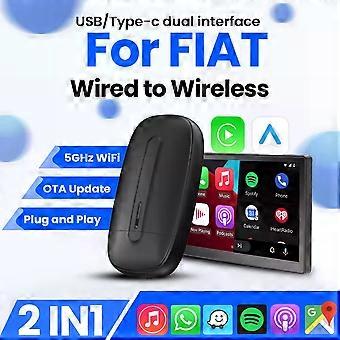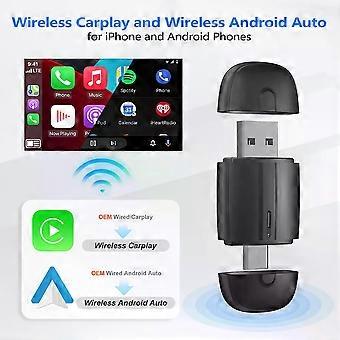
Carplay Wireles Android Auto USB Type-c Plug and Play Bluetooth Smart Dongle For Fiat500500LTipo500XArgoPandaEDobl600e

NOK 524,00
+ NOK 120,99 i frakt

Carplay Wireles Android Auto USB Type-c Plug and Play Bluetooth Smart Dongle For Fiat500500LTipo500XArgoPandaEDobl600e

  • Merke: Unbranded
Solgt av:

Carplay Wireles Android Auto USB Type-c Plug and Play Bluetooth Smart Dongle For Fiat500500LTipo500XArgoPandaEDobl600e

  • Merke: Unbranded

NOK 524,00

Spar NOK 525,00 (50%)

Veiledende pris

NOK 1 049,00
På lager
+ NOK 120,99 i frakt
Solgt av:

NOK 524,00

Spar NOK 525,00 (50%)

Veiledende pris

NOK 1 049,00
På lager
+ NOK 120,99 i frakt

Vi godtar følgende betalingsmetoder

Beskrivelse

Carplay Wireles Android Auto USB Type-c Plug and Play Bluetooth Smart Dongle For Fiat500500LTipo500XArgoPandaEDobl600e

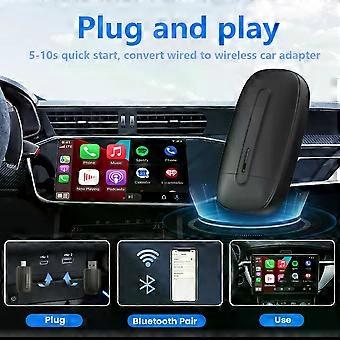
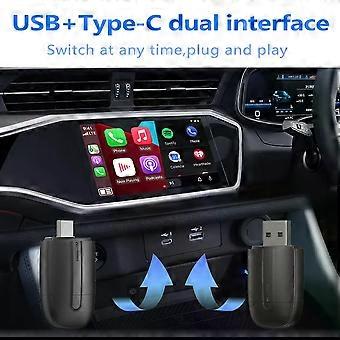
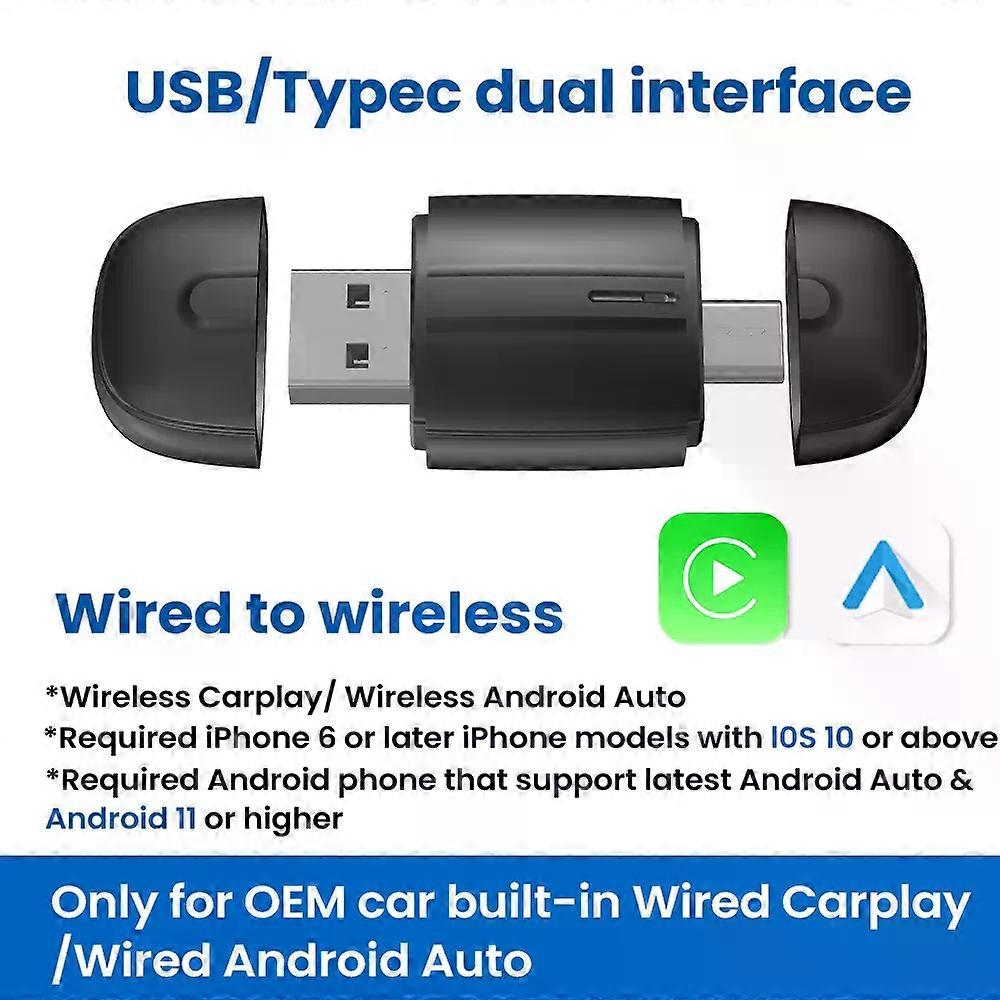
Specifications High-concerned chemical:None Origin:Mainland China Brand Name:QMCARTRADE Conditions of Use:Only Support Original Car With Wired Carplay/Android Auto Support the Car:For Benz Volvo Toyota Skoda Seat Nissan Mazda Lexus Kia Jeep Jaguar Hyundai,For Honda Haval GMC Ford Chevrolet Citroen Buick Cadillac Chery MG Blunetooth:5.0 Wifi:2.4G+5G Feature:USB Type-c dual interface Feature1:Wireless Carplay Feature2:Wireless Android Auto Feature3:Fota Update Feature4:Plug and play Feature5:Carplay adapter Feature6:Android auto adapter Conditions of Use 1.This product is only support OEM Car With Wired Apple Carplay/Android Auto 2.. No Wired Wired Carplay/Android Auto is no support /please dont't buy 3.This device does not support BMW/Tesla/Subaru/Mitsubishi/ (Nissan does not recommend buying it, as the compatibility is not good) About mobile phones: 1. For Carplay: Supports iPhone 6 and above, and the software version is iOS 10 and above. 2.For Android Auto: Supports Android 11 and above models, and the phone supports wireless Android Auto. 3.It should be noted that Huawei phones are special. Huawei devices have their own mobile operating system - EMUI. Unfortunately, Android Auto Wireless does not support EMU Functions to switch between each other If you need to switch from wireless Carplay to wireless Android Auto functionality Please use your Android phone to connect the Bluetooth name of the device. After the connection is successful, wait for the device to automatically reset and restart. The process will take about 30 seconds. Keep it powered on. Carplay will switch to Android Auto functionality This way you can use your Android phone to connect to the wireless Android Auto feature Product main functions 1.Wired Apple Carplay to Wireless Apple CarPlay 2.Wired Android Auto to Wireless Android Auto How to use wireless Carplay? 1. Connect the USB box to the car USB 2. Check the Bluetooth name "Smart Dongle-XXXX" that appears on the car 3. Turn on your phone's WIFI and Bluetooth, and use Bluetooth to pair the device name. How to use wireless Android Auto? 1. Connect the USB box to the car USB 2. Check the Bluetooth name "Smart Dongle-XXXX" that appears on the car 3. Turn on your phone's WIFI and Bluetooth, and use Bluetooth to pair the device name. About OTA upgrade In order to bring you a better experience, this product supports OTA online upgrade function. When the Wireless Carplay Adapter cannot be used normally or performance problems occur after upgrading the system of the mobile phone, it is recommended to upgrade the Wireless Carplay Adapter to the latest version. If the Wireless Carplay Adapter is working properly, it is usually not recommended to upgrade the firmware. How to upgrade for iphone online? For iphone access backend page 1. Please use your mobile phone to connect to the device Wifi: "Smart Dongle" and enter the password: "12345678". 2. Open the Safari browser on your iPhone and enter the IP address: "192.168.1.101, 3. Click "Visit" or "Go" to enter the online upgrade background interface. (If you cannot enter, please check whether your phone's Wifi is correctly connected to the device) How to upgrade for Andorid phone online? Android phone accessing the background page 1. Please use your mobile phone to connect to the device Wifi: "Smart Dongle" and enter the password: "12345678" 2. Open the Chrome browser on your Phone and enter the IP address: 192.168.1.101 3. Click "Visit" or "Go" to enter the online upgrade background interface. (If you cannot enter, please check whether the Wifi of your mobile phone is correctly connected to the device) Android phone upgrade method Android phone access backend page 1. Please use your phone to connect to the device Wifi: "Smart Dongle" Enter the password: "12345678" 2. Open the mobile phone Chrome browser and enter the IP address: "192.168.1.101 3. Click "Access" or "Go" to enter the online upgrade backend interface. (If you cannot enter, please check whether the phone's Wifi is correctly connected to the device) FOTA If the original car has wired Carplay/Android, why cant it be connected? 1. Please use your mobile phone to delete the Bluetooth device name of the original car 2. Restore factory equipment (Because the device is Bluetooth-only, if the Bluetooth of the original car is connected to the mobile phone, the mobile phone cannot connect to the Bluetooth of the device) After pairing the Android Auto adapter, the Android Auto feature cannot be launched or the USB is not compatible/recognized. 1.Please check if the iphone/Android smartphone's Bluetooth connect toother devices such as Earphone, watch.....lf so, please disconnect otherauto-connected Bluetooth devices,and android smartphone alsoneed toconnect to the vehicle Bluetooth for android auto. 2.When o
  • Fruugo-ID: 441210088-926003993
  • EAN: 692034793715

Produktsikkerhetsinformasjon

Vennligst se produktsikkerhetsinformasjonen som er spesifikk for dette produktet skissert nedenfor

Følgende informasjon er gitt av den uavhengige tredjepartsforhandleren som selger dette produktet.

Produktsikkerhetsetiketter

CE Mark
Produsentens delenummer: 692034793715
Modellnummer: 692034793715
Serienummer: 692034793715
Batchnummer: 692034793715

Levering og retur

Sendes i løpet av 3 dager

  • STANDARD: NOK 120,99 - Levering mellom kl tor. 18 desember 2025–fre. 26 desember 2025

Sendes fra Kina.

Vi gjør vårt beste for å sikre at produktene du bestiller, leveres til deg i sin helhet og i samsvar med dine spesifikasjoner. Skulle du likevel motta en ufullstendig bestilling eller andre varer enn dem du bestilte, eller hvis du av en eller annen grunn ikke er fornøyd med bestillingen, kan du returnere bestillingen eller enkeltvarer i bestillingen og motta full refusjon for varene. Se fullstendige retningslinjer for retur

Produktoverholdelsesdetaljer

Vennligst se samsvarsinformasjonen som er spesifikk for dette produktet skissert nedenfor.

Følgende informasjon er gitt av den uavhengige tredjepartsforhandleren som selger dette produktet.

Produsent:
Følgende informasjon skisserer kontaktinformasjonen til produsenten av det aktuelle produktet som selges på Fruugo.

  • Shenzhen Huahuiyu Technology Co., Ltd.
  • Shenzhen Huahuiyu Technology Co., Ltd.
  • Room 511, Xiaren Yongsheng Building, Shangcun Community, Gongming Street, Guangming District
  • Shenzhen
  • China
  • 518000
  • huahuiyu2023@163.com
  • 86-15818330429

Ansvarlig person i EU:
Følgende informasjon skisserer kontaktinformasjonen til den ansvarlige personen i EU. Den ansvarlige personen er den utpekte økonomiske aktøren basert i EU, som er ansvarlig for samsvarsforpliktelsene knyttet til det relevante produktet som selges til EU.

  • E-CrossStu GmbH
  • E-CrossStu GmbH
  • Mainzer Landstr.69, 60329 Frankfurt am Main, Hessen, Deutschland
  • Frankfurt am Main, Hessen
  • Germany
  • 60329
  • E-crossstu@web.de
  • +49 69332967674